Legacy systems quietly drain resources, introduce security vulnerabilities, and impede the growth modern businesses need. Application modernization tools exist to solve exactly that, helping teams move away from brittle, outdated infrastructure toward software that is faster, more secure, and built to scale. Choosing the right approach means understanding what these tools actually do and how they support goals like cloud migration, software re-engineering, and long-term system stability.
Not every modernization path looks the same, and the best outcomes come from matching the right technology to a business's specific needs. Teams that want to reduce complexity, cut downtime, and ship work faster need a solution that handles the heavy lifting without creating new problems along the way. Codegiant offers exactly that through its enterprise AI platform.
Table of Contents
- What Are Application Modernization Tools and How Do They Work?
- Why Are Businesses Investing in Application Modernization?
- What Role Does Automation Play in Application Modernization?
- 10 Best Application Modernization Tools for Enterprise Teams
- How to Choose the Right Application Modernization Tool for Your Team
- How Codegiant Helps Enterprises Modernize Applications Faster
- Try Codegiant's Enterprise AI Platform Today
Summary
- Legacy systems are not just a technical liability. They are a business liability. According to Legacyleap's 2026 report, 75% of enterprises identify legacy systems as a direct barrier to digital transformation, and the cost of inaction compounds each year a modernization effort is delayed. The gap between what aging systems can deliver and what the business needs widens continuously, making delay more expensive than the migration itself.
- The application modernization market reflects how widely this problem is recognized across industries. MarketsandMarkets projects the global market will grow from USD 22.67 billion in 2025 to USD 51.45 billion by 2031, with Business Research Insights forecasting expansion to USD 104.71 billion by 2035. That level of capital commitment signals that CFOs and boardrooms, not just IT departments, are connecting legacy system drag to margin compression and competitive risk.
- Automation is the factor that separates the modernization efforts that finish from those that quietly stall. McKinsey research found that AI-assisted modernization accelerates timelines by 40 to 50 percent while cutting technology debt costs by more than 40 percent. Without automation, even well-resourced engineering teams hit a ceiling because the volume and complexity of legacy codebases exceed what manual effort can process consistently at scale.
- Modernization also solves a talent problem that most roadmaps never address. Expertise in COBOL, older Java architectures, and proprietary middleware is concentrated in a shrinking pool of specialists, and the knowledge they carry is often undocumented. Deloitte's case work on cloud migration and automation for a food services company showed roughly 50 percent improvement in team efficiency, not from better hiring, but from automation removing the dependency on any single person holding critical institutional knowledge.
- Speed in modernization is not about moving recklessly. It is about compressing the distance between a business need and a working solution without introducing new risk. Organizations that commit to structured modernization achieve deployment cycles up to three times faster than those running legacy workflows, according to LinkedIn Pulse's Application Modernization in 2025 report. Red Hat's State of Application Modernization Report also found that 85% of applications go through modernization in two or three iterative steps, confirming that successful organizations treat this as a continuous practice rather than a single-phase project.
- Governance built into the generation process, rather than bolted on afterward, is what allows regulated industries to modernize at the pace their business requires. When compliance controls, audit trails, and access policies are embedded at the point of creation rather than added through a separate review cycle, finance, healthcare, and government organizations can move from experimentation to production without sacrificing control.
- Codegiant's enterprise AI platform addresses this directly by combining automated COBOL migrations, prompt-to-production builders, and embedded compliance into one governed environment built on existing infrastructure rather than around it.
What Are Application Modernization Tools and How Do They Work?
Application modernization tools are software platforms that analyze, transform, and migrate old systems into cloud-native environments, microservices, containers, and automated deployment pipelines. They don't just patch outdated code—they improve, rebuild, and prepare existing systems for production in the infrastructure your business needs to compete.
💡 What They Do: Application modernization tools tackle the full lifecycle of legacy transformation—from assessment and refactoring to rehosting and replatforming—so your systems are actually ready for modern infrastructure.
Capability |
What It Means for Your Business |
|---|---|
Cloud-native migration |
Move workloads to scalable, on-demand environments |
Microservices conversion |
Break monoliths into independently deployable services |
Containerization |
Package apps for consistent, portable deployment |
Automated deployment pipelines |
Eliminate manual bottlenecks and accelerate release cycles |
"75% of enterprises report that legacy systems are a direct barrier to digital transformation—a business problem affecting growth, speed, and risk across the organization." — Legacyleap's 2026 Report on Application Modernization Platforms
According to that same research, this is not a fringe concern—it is a mainstream business crisis. Legacy systems create direct barriers to digital transformation, slowing growth, undermining speed to market, and compounding organizational risk at every level.
⚠️ Warning: If your organization is still running on unmodernized legacy infrastructure, you are actively falling behind the 75% of enterprises already treating this as a critical priority—not a future roadmap item.
🔑 Takeaway: Application modernization tools exist to solve a measurable, documented problem. The question is not whether modernization is necessary—it's which tools and approach will get your systems production-ready fastest.
How the transformation actually happens
The process follows a clear sequence: assess, plan, transform, optimize. Modernization tools scan codebases, map dependencies, and surface technical debt accumulated over years of patching and workarounds. They apply targeted strategies: moving workloads to the cloud with minimal changes, migrating to new platforms to leverage managed services, or refactoring monolithic code into independently deployable microservices.
What repetitive work do application modernization tools automate?
Automation handles repetitive work prone to human error, including code format conversion, containerizing applications with Docker or Kubernetes, setting up CI/CD pipelines, and monitoring performance after system migration.
Why do manual approaches break down as systems grow more complex?
Trying to coordinate work across spreadsheets, tribal knowledge, and handoff meetings stretches timelines by months. As systems become more connected and compliance requirements grow stricter, this approach fails. Our enterprise AI platform fills this gap, allowing organizations in financial services, healthcare, government, and manufacturing to build production-grade apps, APIs, and automations on top of their existing stack rather than replacing it. Codegiant enables seamless integration with your current infrastructure.
The gap between experimentation and production
A containerized microservice that runs in a sandbox can fail unpredictably under production load if its dependency mapping is incomplete or its security controls aren't built in from the start. Red Hat's State of Application Modernization Report found that 85% of applications go through modernization in two or three iterative steps, confirming that serious organizations treat this as a multi-phase process. The right tools enforce discipline through built-in testing, rollback capabilities, and continuous monitoring that catches instability before it reaches customers. What most organizations discover midway through a modernization effort is that technology was never the hardest part.
Related Reading
- What Is Application Modernization
- Build Internal Tools
- Application Modernization Best Practices
- Legacy Software Modernization
- Legacy System Modernization
- How To Modernize Legacy Systems
- Cobol Modernization
- Technical Debt Management
- Application Modernization Best Practices
- Mainframe To Cloud Migration
- Cobol To Java
- Build Internal Tools
Why Are Businesses Investing in Application Modernization?
Businesses invest in application modernization because the cost of staying the same is higher than the cost of change. Money spent on maintenance takes away from budgets for new ideas, security exposure grows with systems that don't get updated, and fewer developers want to work with old technology. The pressure comes from money, operations, and competition.
"The cost of inaction outweighs the cost of modernization — legacy maintenance, security vulnerabilities, and talent shortages compound into a burden no competitive business can afford to carry."
💡 Tip: If your team is spending more time maintaining old systems than building new ones, that's a critical signal that modernization is overdue.
Pressure Area |
Impact of Staying Legacy |
|---|---|
Budget |
Maintenance costs consume funds meant for innovation |
Security |
Unpatched systems create growing exposure risks |
Talent |
Developers actively avoid outdated tech stacks |
Competition |
Rivals modernize faster, widening the capability gap |
⚠️ Warning: The longer a business delays modernization, the more these three pressures — financial, operational, and competitive — compound against each other, making the eventual transition significantly more costly.
🔑 Takeaway: Application modernization isn't just a technical decision — it's a strategic business imperative driven by real and escalating costs of inaction.
What does the market signal tell us?
According to MarketsandMarkets, the global application modernization services market is expected to grow from USD 22.67 billion in 2025 to USD 51.45 billion by 2031. This investment reflects CFOs' direct connection of legacy system problems to quarterly performance. When finance teams link IT debt to profit loss, modernization shifts from a technology initiative to a top leadership priority.
Where does the real pain show up?
The failure point remains invisible until it costs significant money. Legacy systems do not announce their limits through error messages; they announce them through delayed product launches, compliance audit findings, and engineers updating their resumes. A financial services firm running core processes on a 20-year-old platform faces retention, regulatory, and competitive risks simultaneously, each compounding the others.
How do application modernization tools reduce complexity without full replacement?
Most teams fix problems around the edges by adding integrations and workarounds that reduce immediate pain without addressing the underlying architecture. This works until system complexity becomes unmanageable and small changes require weeks of testing and cross-team coordination. Platforms like Codegiant address this by building on existing stacks rather than replacing them, letting organizations extend and transform their current systems into production-grade applications without full rip-and-replace disruption.
What makes inaction so costly?
The compounding effect of technical debt is what most organizations underestimate. Research from Business Research Insights projects that the global application modernization market will expand to USD 104.71 billion by 2035, reflecting the widespread recognition of this structural problem across healthcare, government, manufacturing, and financial services. Each year a modernization effort is delayed, the gap between business needs and system capability widens, and the cost to close that gap grows.
How do application modernization tools shift teams from projects to practice?
The organizations moving fastest are not necessarily the ones with the largest budgets. They treat modernization as a continuous practice: making decisions about cloud migration, API integration, containerization, and microservices incrementally rather than all at once. That shift from project to practice separates teams that modernize successfully from those that stall. Even with the right strategy and tooling, the hardest part of the journey remains something most modernization plans never address.
What Role Does Automation Play in Application Modernization?
Automation is not a supporting character in application modernization. It is the engine. Without it, even the most talented engineering teams hit a ceiling because the volume and complexity of legacy codebases simply exceed what human effort can process consistently at scale.
"Without automation, even the most talented engineering teams hit a ceiling — the volume and complexity of legacy codebases simply exceed what human effort can process consistently at scale."
💡 Tip: Treat automation as a first-class citizen in your modernization strategy — not an afterthought. Teams that embed automated tooling early move faster, make fewer errors, and scale without proportional growth in headcount.
⚠️ Warning: Relying solely on manual processes during application modernization is one of the most common — and costly — mistakes organizations make. The sheer scale of legacy code makes human-only approaches unsustainable.
Approach |
Scalability |
Consistency |
Speed |
|---|---|---|---|
Manual-only modernization |
Low |
Inconsistent |
Slow |
Automation-assisted modernization |
High |
Reliable |
Fast |
Fully automated pipelines |
Very High |
Near-perfect |
Accelerated |

Why do manual modernization efforts stall before they finish?
The failure point builds up invisibly. Teams start with manual code reviews, spreadsheet dependency mapping, and hand-run testing cycles. Six months in, the backlog exceeds its starting size—not from lack of effort, but because work accumulates faster than people can process it. According to McKinsey research, AI-assisted modernization shortens timelines by 40 to 50 percent while reducing technology debt costs by more than 40 percent. This gap between manual work and automation determines whether a modernization effort succeeds or stalls.
How do application modernization tools create real leverage through automation?
Finding problems, testing slowdowns, and losing knowledge are significant issues in financial services, healthcare, and government modernization. Automation addresses all three. Static analysis tools scan millions of lines of legacy code in hours, identifying dependency chains and refactorable code that would take weeks to find manually. Generative AI creates first drafts of modern code, giving engineers working scaffolding to review and build on rather than starting from scratch.
How does automation close the gap when testing cycles become bottlenecks?
Manual testing cycles become bottlenecks as modernization accelerates and release frequency increases. Regression suites that once ran overnight now require hourly execution. Platforms like Codegiant close this gap with automated testing, CI/CD integration, and deployment pipelines that deliver code changes to production without the latency of manual validation.
Why automation also solves a talent problem
Knowledge in COBOL, older Java architectures, or proprietary middleware is concentrated in a shrinking pool of specialists. When those people leave, their undocumented knowledge becomes irreplaceable to hire for. Automation captures and codifies institutional knowledge inside tooling, making it reusable across teams and projects. Deloitte's case work on cloud migration for a food services company showed roughly 50 percent improvement in team efficiency, not because they hired better people, but because automation removed dependency on any single person knowing the right answer.
How do application modernization tools shift teams from reactive to proactive?
Infrastructure-as-code and CI/CD pipelines transform deployment from a high-stakes manual event into routine, repeatable operations. When deployments are automated, teams treat releases as habits rather than risks. This shift from reactive to proactive separates organizations that modernize continuously from those that modernize once and drift back toward technical debt.
What does applying automation look like inside a real enterprise stack?
Knowing that automation matters is not the same as knowing how to use it within a specific enterprise stack at scale without disrupting existing systems.
Related Reading
- As400 Modernization
- Enterprise Ai Governance
- Public Sector Digital Transformation
- Mendix Alternatives
- OutSystems Alternatives
- Appian Pricing
- Ai Agent Pricing
- Outsystems Vs Mendix
10 Best Application Modernization Tools for Enterprise Teams
Updating old business software requires platforms that significantly reduce technical debt, automate software delivery, connect older legacy systems with new services, strengthen security posture, and enable scalable, AI-ready applications. The tools below address these challenges through application development, modernization, orchestration, automation, integration, and cloud-native deployment capabilities.
"Enterprise teams that fail to modernize face mounting technical debt, slower delivery cycles, and growing security vulnerabilities — making the right tooling essential to staying competitive."
💡 Tip: When evaluating application modernization tools, prioritize platforms that address multiple modernization pillars — development, integration, and cloud-native deployment — rather than solving only one challenge in isolation.
⚠️ Warning: Choosing tools that only address surface-level modernization without tackling technical debt at the architecture level can leave enterprise teams with compounding legacy problems down the line.
Modernization Capability |
What It Solves |
|---|---|
Application Development |
Accelerates the building and rebuilding of legacy apps |
Orchestration & Automation |
Streamlines software delivery pipelines |
System Integration |
Connects older systems with modern services |
Cloud-Native Deployment |
Enables scalable, AI-ready infrastructure |
Security Hardening |
Reduces vulnerabilities across modernized stacks |
🎯 Key Point: The most effective enterprise modernization strategies combine tools across all of these capability areas — no single platform solves every challenge, but the right toolset can dramatically accelerate transformation.
1. Codegiant (codegiant.io)
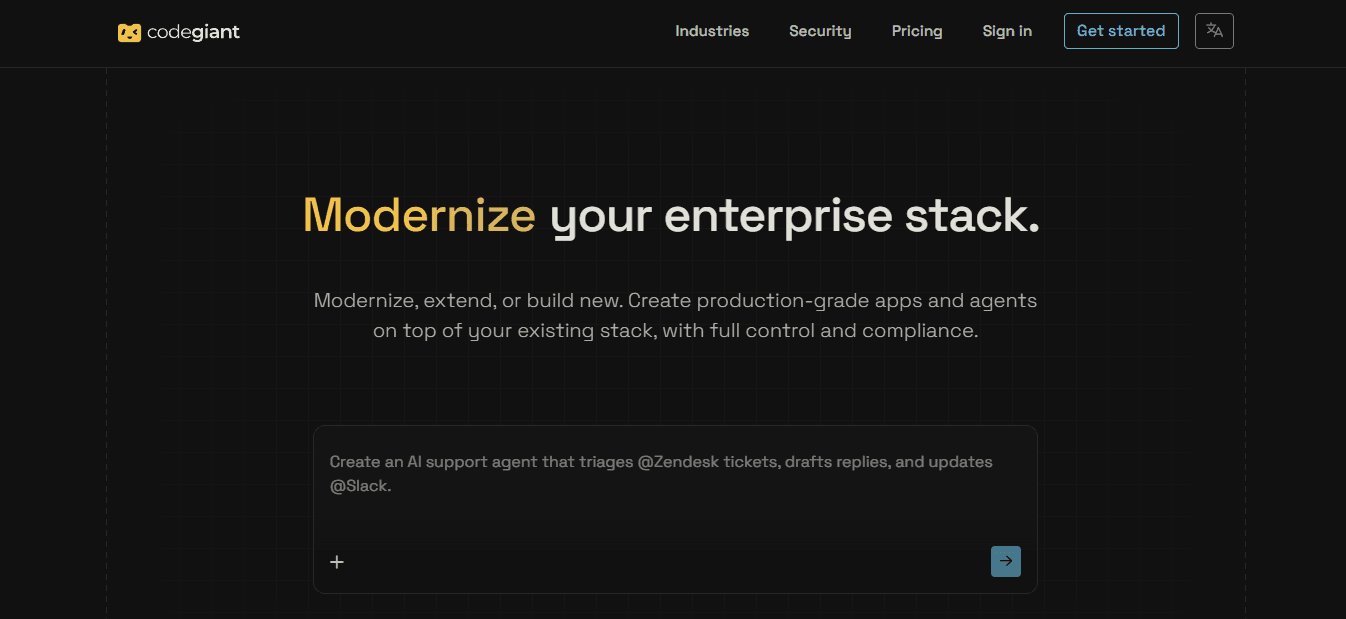
Codegiant delivers an AI-powered enterprise platform that modernizes legacy systems, extends core applications, and builds production-grade solutions while preserving governance, compliance, and reliability. Our platform transforms natural language prompts into secure, deployable apps, agents, and workflows, addressing crashing transaction systems, endless maintenance cycles, and delayed features.
Key Features
- Kronos LLMs are Codegiant's purpose-built models for legacy modernization, built for COBOL conversion and guided by deterministic harnesses at every stage. Deterministic pre-conversion analysis covers logic extraction, data mapping, dependency resolution, and type verification from source before generation begins, with path optimization across the conversion, so migration starts with facts rather than model guesswork.
- Prompt-to-production app builder that generates web and mobile applications directly on existing systems, enabling rapid feature delivery and closing agility gaps that cause missed competitive opportunities.
- Intelligent workflow and agent engine with human-in-the-loop approvals, branching logic, and integrations with Salesforce, DocuSign, and Slack. It automates approval processes and risk scoring while reducing manual errors and operational inefficiencies.
- Real-time system health monitoring and sync dashboards tracking connections across HubSpot, Stripe, Snowflake, and more, with sub-minute freshness alerts that prevent data discrepancies and downtime.
- A built-in IDE for precise engineering refinements alongside AI generation, so teams keep control over custom logic while accelerating refactoring.
- One-click multi-cloud deployment to AWS ECS, Azure Container Apps, Google Cloud Run, and others with built-in security scanning and compliance controls, enabling scalable operations without vendor lock-in.
- Automated documentation and audit-ready artifact generation that evolve with code changes, supporting regulatory requirements in finance, insurance, and government.
- Governance and security framework with role-based access, encryption, and policy enforcement that mitigates breach exposures and compliance failures.
- Natural language querying and analysis across connected systems provide quick insights into dependencies and business rules, helping teams overcome knowledge silos and make faster modernization decisions.
- Deterministic automation combined with AI enables repeatable transformations and testing, ensuring consistent results that minimize project failures and control technical debt.
Pros
Unmatched speed and flexibility for legacy-to-modern transformations; deep enterprise integrations and governance; strong focus on production reliability and compliance; boosts developer productivity and business outcomes.
Cons
Advanced AI features require team familiarity with prompting best practices.
Accessibility
Cloud-based platform with robust API and integration support; enterprise licensing options for large teams; available for financial services, insurance, government, and more.
2. AWS Application Migration Service (AWS MGN)
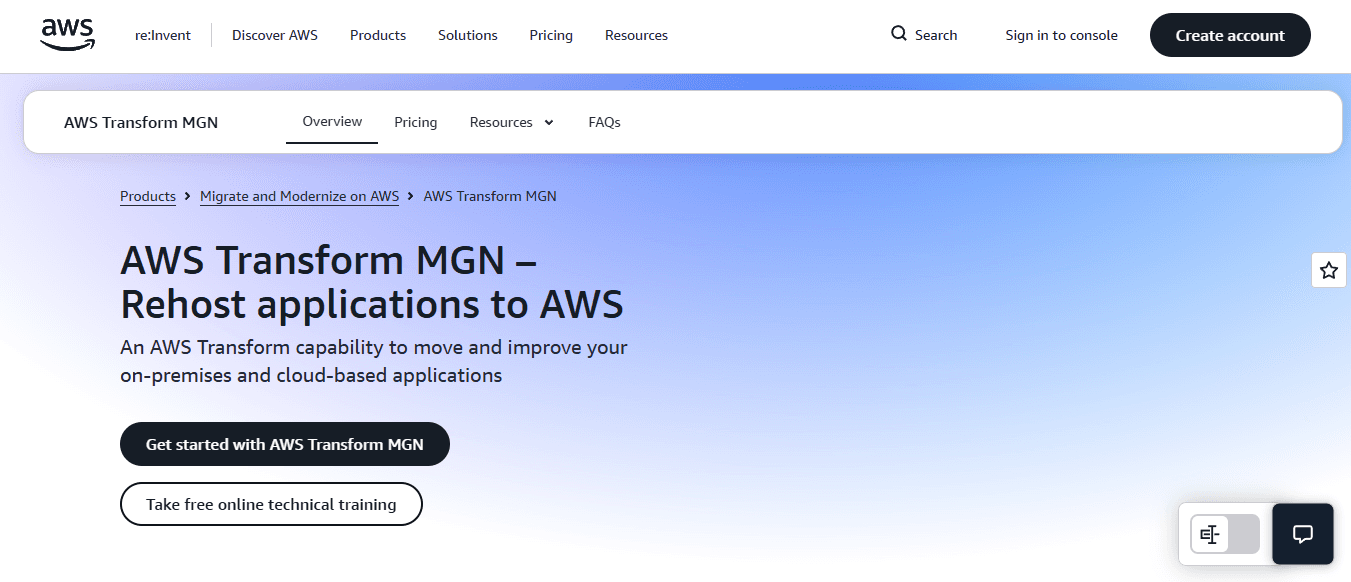
AWS Application Migration Service enables large companies to migrate their servers and applications to AWS with minimal changes. This accelerates cloud adoption while addressing performance issues, reducing infrastructure costs, and mitigating downtime risks from legacy systems.
Key Features
- Automated server replication and conversion lift and shift workloads to AWS with minimal downtime, reducing maintenance expenses and addressing capacity drains.
- Built-in testing and validation tools that simulate post-migration performance, reducing risks of operational disruptions and ensuring business continuity during transitions.
- Integration with AWS modernization services enables teams to replatform and refactor applications, break monoliths, and adopt cloud-native patterns that restore agility and accelerate feature releases.
- Security and compliance automation—including encryption, access controls, and audit logging—strengthens defenses against vulnerabilities in outdated infrastructure.
- Cost optimization recommendations and right-sizing during migration lower overall cloud spend while freeing budgets previously tied to on-premises hardware maintenance.
- Application discovery and dependency mapping provide visibility into complex legacy architectures and help plan targeted modernizations.
- Scalable orchestration for thousands of servers with centralized monitoring automates repetitive tasks and frees teams to focus on high-value innovation.
Pros
Highly scalable for massive enterprise portfolios; minimal initial code changes; seamless AWS ecosystem integration; strong security posture; proven to reduce migration risks and timelines.
Cons
May require additional tools for deep refactoring beyond lift-and-shift; ongoing AWS usage costs apply post-migration.
Accessibility
Available through AWS Management Console with pay-as-you-go pricing. Replication is free; charges apply only to underlying resources. Enterprise support plans are available.
3. Azure Migrate
Azure Migrate is a comprehensive hub for enterprise teams to assess, migrate, and modernize applications to Azure. It combines discovery, assessment, and execution capabilities to address integration challenges, security concerns, and slow deployment cycles in mixed legacy environments.
Key Features
- Unified discovery and assessment across servers, databases, and web apps that maps dependencies and readiness scores, enabling precise planning to reduce technical debt and project uncertainties.
- Automated migration tools for physical, virtual, and database workloads with minimal downtime options, reducing operational disruptions and revenue losses from legacy system instability.
- Integration with GitHub Copilot and Azure services enables AI-assisted refactoring and cloud-native transformations that accelerate development and close agility gaps.
- Built-in cost estimation and optimization insights that highlight savings opportunities and reduce maintenance budgets tied to outdated systems.
- Security posture assessments and compliance recommendations during migration mitigate breach risks and regulatory exposures inherent in legacy platforms.
- Database migration capabilities, including schema conversion and data synchronization, ensure accuracy and support modernization without data loss or compliance violations.
- Centralized dashboard for tracking progress and performance after migration, enabling teams to monitor improvements in efficiency and scalability.
Pros
Excellent for Microsoft-centric enterprises; strong assessment and reporting; AI enhancements via Copilot; comprehensive support for diverse workloads; clear path to further Azure innovations.
Cons
Best results within the Azure ecosystem; steep learning curve for non-Microsoft stacks.
Accessibility
Free assessment tool within Azure portal; enterprise agreements available; integrates with existing Microsoft licenses and support.
4. GitHub Copilot App Modernization
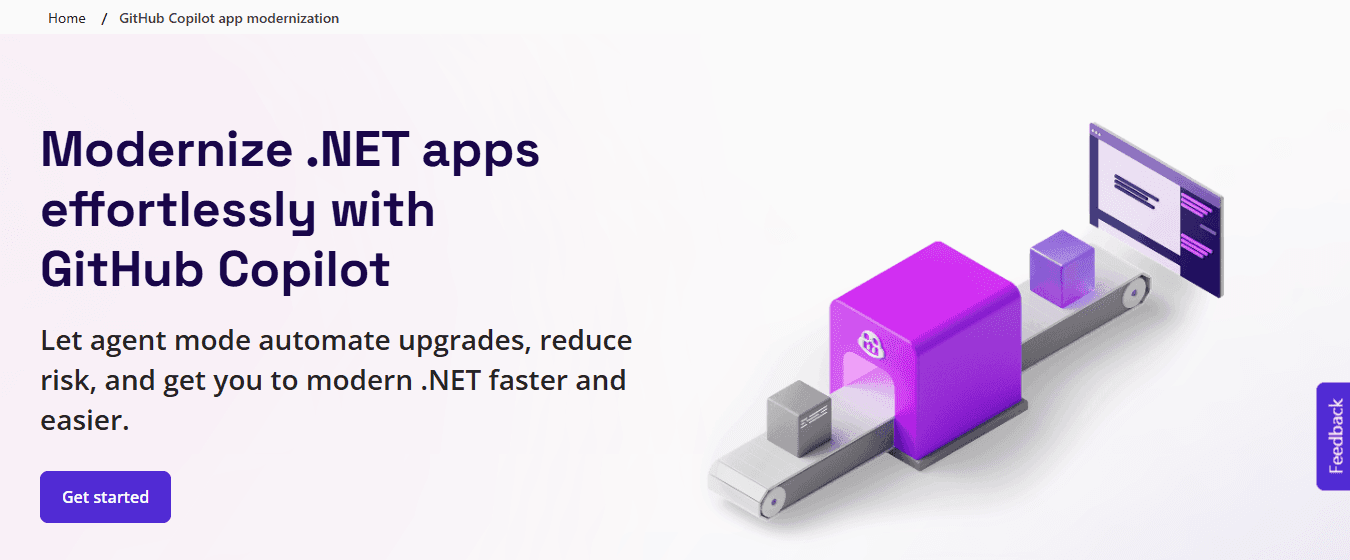
GitHub Copilot App Modernization uses AI agents to help enterprise developers assess, refactor, and migrate legacy .NET and Java applications to modern, cloud-ready architectures with intelligent suggestions and automated fixes.
Key Features
- AI-powered codebase analysis identifies upgrade paths and blockers, accelerating modernization planning and reducing manual review time.
- Automated code remediation and refactoring address technical debt and improve maintainability during framework upgrades and dependency migrations.
- Test case generation and validation automation ensure quality during transformations, minimizing production incidents.
- Security vulnerability detection and remediation recommendations strengthen protections against legacy risks and compliance failures.
- Azure migration guidance and deployment automation enable seamless cloud transitions and restore scalability.
- Integration within Visual Studio and GitHub workflows provides real-time assistance and addresses talent gaps in legacy technologies.
- Detailed reporting and self-healing capabilities automate fixes and provide visibility into project progress.
Pros
Deep AI intelligence for code-level work; seamless developer experience; accelerates .NET/Java modernizations; strong security focus; integrates with existing GitHub setups.
Cons
Primarily focused on supported languages and frameworks; requires a GitHub Copilot subscription.
Accessibility
Available in Visual Studio, VS Code, and GitHub as part of GitHub Copilot enterprise plans.
5. IBM Watsonx Code Assistant

IBM Watsonx Code Assistant brings generative AI to enterprise mainframe and legacy modernization, helping with code understanding, generation, and transformation for COBOL and other systems, delivering faster updates, reduced risks, and alignment with modern practices.
Key Features
- AI code explanation and natural language translation for legacy languages, making complex codebases easier to understand and helping bridge talent shortages.
- Automated refactoring and modernization recommendations that target technical debt and accelerate transitions to cloud-native or hybrid architectures.
- Integration with IBM Z and cloud platforms enables end-to-end mainframe-to-cloud journeys that improve scalability and reduce infrastructure costs.
- Security and compliance scanning built into the AI workflow identifies and fixes vulnerabilities proactively.
- Test generation and validation tools that support quality assurance during changes.
- Collaborative features for cross-team input on transformations that improve knowledge sharing and decision-making.
- Performance optimization suggestions that drive efficiency gains and support business agility.
Pros
Specialized strength in mainframe modernization; enterprise-grade governance; powerful generative AI; proven IBM ecosystem support.
Cons
May require IBM-specific expertise for optimal use; focused on supported legacy environments.
Accessibility
Cloud and on-premises options; enterprise licensing through IBM; integrates with Watsonx platform.
6. Google Cloud Application Modernization Tools
Google Cloud offers tools such as Migrate to Virtual Machines, Anthos, and modernization guidance to help enterprise teams containerize, refactor, and run applications on scalable, cloud-native infrastructure.
Key Features
- Automated discovery and dependency mapping show what applications you have and how they connect, helping you make informed modernization decisions.
- Containerization and Kubernetes orchestration through Anthos enable consistent application deployment across hybrid environments.
- AI and machine learning integrations that provide smart code insights and optimizations.
- Security features like Artifact Registry and binary authorization protect your modernized workloads.
- Cost management and FinOps tools to reduce spending after migration.
- DevOps and CI/CD pipeline support for faster, more reliable releases.
- Comprehensive monitoring with Operations Suite tracks performance and identifies problems over time.
Pros
Strong focus on containers and Kubernetes; effective for hybrid and multi-cloud setups; AI and ML capabilities; robust security and monitoring.
Cons
Steeper learning curve if you don't already use Google Cloud; works best when planning to use containers from the start.
Accessibility
Available through Google Cloud Console with pay-as-you-go pricing; enterprise support and professional services are available.
7. vFunction
vFunction offers architecture intelligence and automated observability for enterprise modernization. It helps teams analyze legacy monoliths, identify microservice boundaries, and execute targeted extractions, reducing complexity, technical debt, and maintenance burdens while accelerating cloud-native transformations.
Key Features
- Deep automated analysis of codebases, dependencies, and business logic uncovers hidden issues and provides clear roadmaps for modernization.
- Intelligent microservice boundary identification, based on runtime behavior and static analysis, enables precise monolith decomposition, restoring agility and independent scaling.
- Code extraction and modularization tools automate component separation while preserving functionality, reducing refactoring time and errors.
- Architectural observability dashboards monitor modernization progress and system health, preventing regressions and supporting data-driven decisions.
- Integration with CI/CD and cloud platforms enables seamless deployment of modernized services.
- Effort estimation and risk forecasting for different modernization paths.
- Support for multiple languages and frameworks with visualization of complex dependencies.
Pros
Exceptional for monolith decomposition; provides data-driven insights; reduces risk in large-scale refactors; offers strong observability.
Cons
Focused primarily on analysis and extraction rather than full end-to-end deployment; requires some setup for optimal results.
Accessibility
Cloud-based platform with enterprise options that integrates with major code repositories and clouds.
8. Kissflow
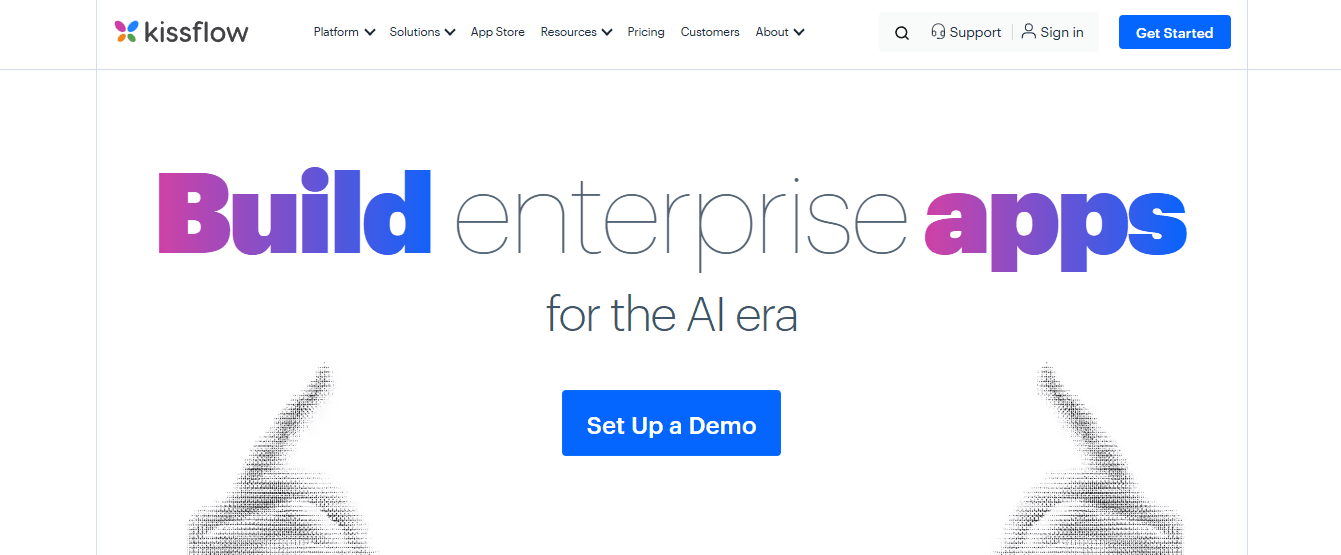
Kissflow is a low-code/no-code platform that helps large companies modernize their applications by enabling business and IT teams to quickly rebuild legacy workflows and applications with modern, controlled digital processes.
Key Features
- A drag-and-drop workflow builder with AI assistance that modernizes manual processes and eliminates approval bottlenecks.
- Easy integration with legacy systems through APIs and connectors enables gradual modernization without complete replacement.
- Built-in governance, security, and audit controls ensure compliance in regulated environments.
- Real-time analytics and reporting dashboards that show process performance and identify bottlenecks.
- Mobile-ready app development capabilities that extend modernization to field and remote users.
- Scalable architecture supporting high-volume enterprise use with role-based access.
Pros
User-friendly for citizen developers; strong governance; fast deployment of internal apps; cost-effective for workflow modernization.
Cons
Less suited for highly complex core system overhauls; best for departmental or workflow-focused projects.
Accessibility
Cloud platform with enterprise plans, intuitive interface, and extensive template library.
9. OutSystems
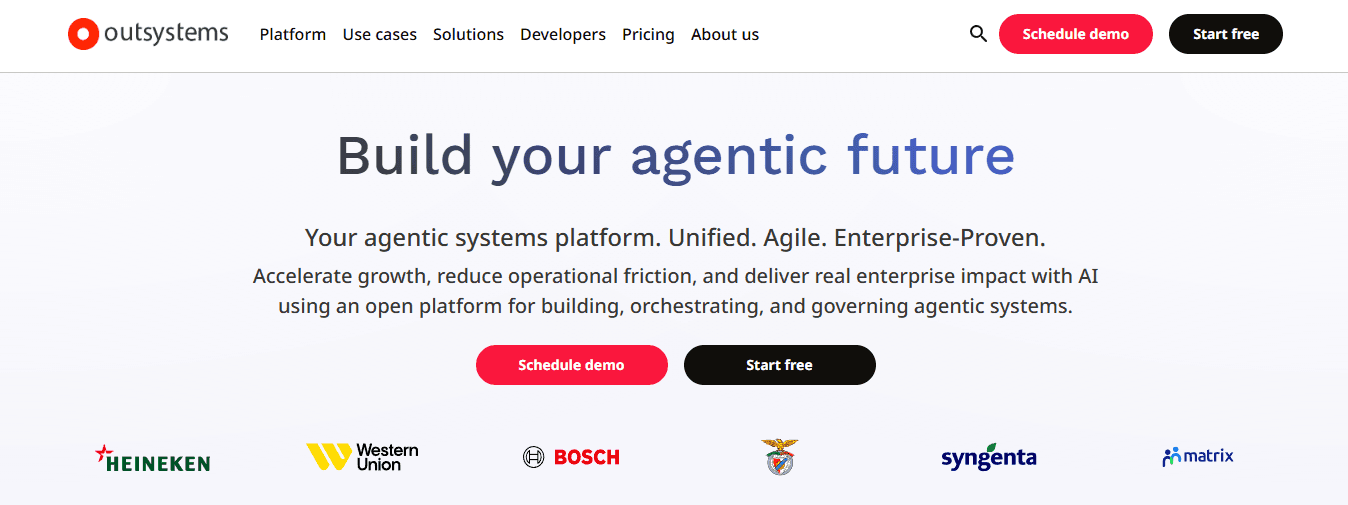
OutSystems is a high-productivity low-code platform that enables enterprise teams to modernize and build responsive applications at scale by combining visual development with full-stack capabilities to overcome slow development cycles, integration hurdles, and maintenance challenges.
Key Features
- Visual development environment with AI-assisted code generation for faster refactoring and feature creation.
- Robust integration layer for connecting to legacy databases and systems during modernization.
- Automated testing, deployment, and DevOps pipelines that ensure quality and reduce release risks.
- Enterprise security features include encryption, authentication, and compliance certifications.
- Scalable cloud or on-premises deployment options with performance monitoring.
- Mobile and web app support with offline capabilities.
- Architecture dashboard and impact analysis tools for managing technical debt.
Pros
Rapid application delivery; strong for complex enterprise apps; excellent scalability and security; active community and support.
Cons
Premium licensing for large deployments; full benefits require platform expertise.
Accessibility
Cloud and on-premises options, enterprise subscriptions, and comprehensive training resources.
10. Microsoft Power Apps (with Azure integration)
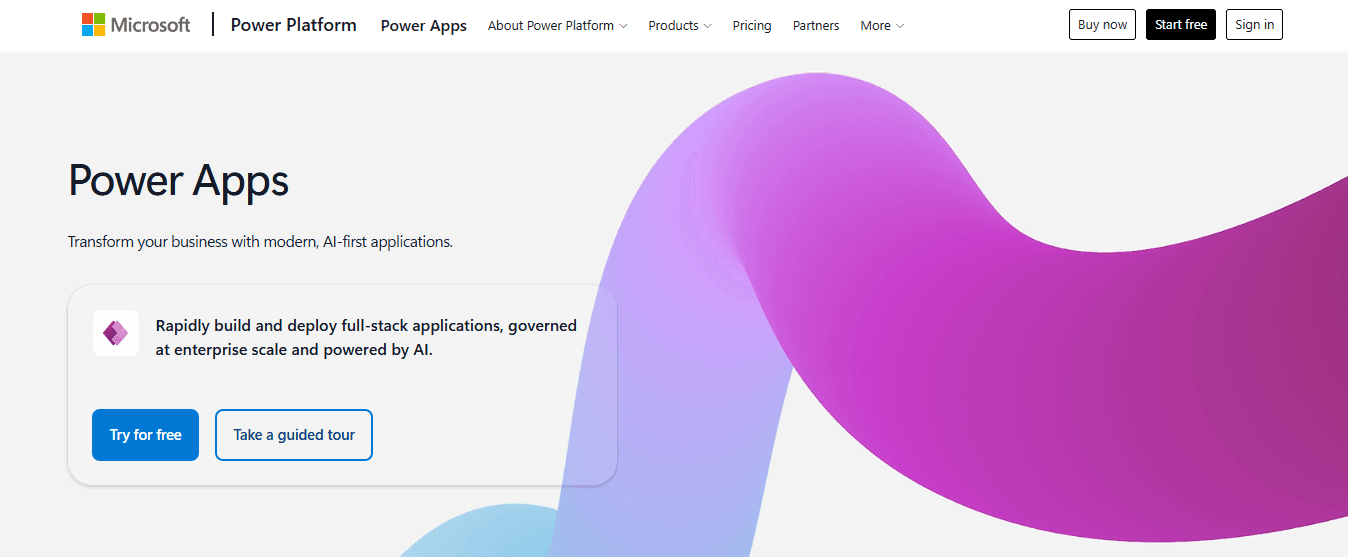
Microsoft Power Apps helps large companies modernize their business applications through low-code tools, enabling teams to build, extend, and modernize them on the Power Platform. It integrates deeply with Azure and existing Microsoft ecosystems to deliver secure, scalable solutions that address data silos and process inefficiencies.
Key Features
- Canvas and model-driven app builders with AI Copilot accelerate creation and customization across legacy data sources.
- Dataverse and connector ecosystem for seamless integration with on-premises and cloud systems.
- Built-in governance, security, and compliance through Microsoft Entra and Azure services.
- Automation with Power Automate for workflow modernization alongside apps.
- Scalable hosting on Azure with monitoring and analytics.
- Offline and mobile support for broad accessibility.
- Version control, testing, and deployment tools integrated with Azure DevOps.
Pros
Deep Microsoft ecosystem partnership; accessible to business users; strong security and governance; cost-effective for many scenarios.
Cons
Optimal within Microsoft environments; advanced custom logic may require input from a Pro developer.
Accessibility
Included in Microsoft 365 and Power Platform licenses, it offers web and mobile access, along with extensive documentation and community support.
How to Choose the Right Application Modernization Tool for Your Team
Choosing an application modernization tool affects your entire software delivery pipeline, security posture, scalability, and IT costs. The best platform matches your business goals, works seamlessly with your existing technology stack, supports your developers, and gives you a solid foundation for continuous innovation. Looking at the key factors below will help your team pick a solution that delivers lasting value.
"The right modernization platform doesn't just upgrade your software — it becomes the foundation for every future innovation your team builds on." — Application Modernization Best Practices
💡 Tip: Before evaluating any tool, document your current technology stack and business goals — this single step will eliminate most mismatched options immediately.
⚠️ Warning: Choosing a tool based on features alone — without considering developer support, integration compatibility, and long-term scalability — is one of the most common and costly mistakes teams make.
Evaluation Factor |
Why It Matters |
What to Look For |
|---|---|---|
Business Goal Alignment |
Ensures the tool drives real outcomes |
Roadmap flexibility, outcome-based features |
Technology Stack Compatibility |
Prevents costly integration failures |
Pre-built connectors, API support |
Developer Support |
Accelerates adoption and reduces friction |
Documentation, community, onboarding tools |
Security & Compliance |
Protects your infrastructure |
Built-in compliance frameworks, audit trails |
Scalability |
Future-proofs your investment |
Cloud-native architecture, elastic scaling |
IT Cost Impact |
Controls the total cost of ownership |
Transparent pricing, resource efficiency |
Assess Your Current Application Landscape Thoroughly
Make a complete list of your existing systems, how they connect, their performance levels, and problems such as frequent outages or high maintenance needs. Map how data moves through your systems, where integration is difficult, and how your business logic operates to identify which areas most impede productivity and innovation. This reveals your technical debt and guides where to focus efforts for maximum cost savings and operational stability.
Define Clear Business and Technical Objectives
Set clear, measurable goals for modernization, such as reducing infrastructure costs by a specific percentage, accelerating release cycles, or improving compliance. Involve stakeholders from IT, security, and business teams to align expectations on outcomes such as greater scalability or improved customer experiences. Well-defined goals prevent scope creep and guide decisions throughout the selection process.
Evaluate Team Skills and Resource Availability
Assess your internal team's knowledge of modern architectures, cloud platforms, and automation practices. Identify skill gaps in areas like container orchestration or AI-assisted development. Evaluate your team's current capacity and determine whether you need to train staff, hire new talent, or engage external support. This ensures your chosen path aligns with your team's capabilities and prevents talent shortages from delaying projects.
Analyze Total Cost of Ownership and ROI Potential
Calculate the starting costs of implementing a new system, plus long-term costs: maintenance, training, licensing, and savings from reduced downtime or improved developer productivity. Consider the costs of delaying modernization—lost revenue from slow feature delivery and heightened security risks. A financial model tailored to your situation guides choices that deliver lasting returns.
Consider Scalability, Security, and Compliance Requirements
Consider how solutions can scale flexibly, integrate multiple cloud services, and adapt to new technologies. Choose approaches with strong encryption, access controls, and audit features that comply with industry standards and company policies. Security and compliance are essential to protect sensitive information and avoid costly penalties.
Plan for Minimal Disruption and Phased Implementation
Use step-by-step strategies like pilots, quick-win rehosting, or running legacy and modern components simultaneously. Ensure automated testing, rollback mechanisms, and monitoring are in place to maintain business continuity. Phased approaches reduce risks from large-scale changes and build organizational confidence through early wins.
Review Integration Capabilities and Ecosystem Fit
Ensure the path to modernization connects smoothly with your existing tools, data sources, and third-party services. Strong API support, middleware options, and compatibility with your current DevOps practices accelerate adoption and protect your existing technology investments.
Seek Vendor or Partner Support and Long-Term Viability
Look into the available training, documentation, professional services, and community resources. Check the provider's history, financial strength, and commitment to innovation in areas like AI enhancements. Reliable support and a forward-looking ecosystem protect your investment and help you adapt to changing technology and business needs.
Test Through Proofs of Concept and Pilot Projects
Run small-scale trials with representative workloads to check performance, compatibility, and team experience. Collect measurable metrics on speed, cost, and quality alongside qualitative user feedback. Pilots expose practical challenges and confirm alignment with your environment before broader rollout.
How Codegiant Helps Enterprises Modernize Applications Faster
The real problem with modernizing enterprise systems isn't about different ideas — it's about how things are fundamentally organized: data systems that don't connect well, weak connections between old and new systems, and compliance rules that must be followed from the very start. Fixing this gap requires tools that work in real production situations, not just in controlled test environments.
"The core challenge of enterprise modernization isn't innovation — it's integration: bridging the gap between legacy infrastructure and modern architecture without breaking what already works."
🎯 Key Point: The biggest barrier to enterprise modernization isn't a lack of ideas — it's structural misalignment between legacy data systems and modern platforms that slows every initiative down.
💡 Tip: When evaluating modernization tools, always prioritize solutions proven in live enterprise environments — not just those that perform well in sandboxed demos. Real-world resilience is the critical differentiator.
Modernization Challenge |
Impact |
What's Required |
|---|---|---|
Disconnected data systems |
Siloed insights, broken workflows |
Unified integration layer |
Weak legacy-to-modern bridges |
Slow migration, high failure risk |
Robust API & connector support |
Compliance requirements |
Regulatory exposure from day one |
Built-in governance controls |
Test vs. production gaps |
Solutions that fail at scale |
Battle-tested, real-world tooling |
Why do application modernization tools need to address structural barriers?
Across financial services, insurance, and government, teams that add new tools to old processes end up with a slower version of the same problem. Organizations that commit to structured modernization achieve deployment cycles up to three times faster than those running legacy workflows. Speed here means compressing the distance between a business need and a working solution without introducing new risk.
Where traditional approaches break down
Most companies handle legacy migration by assembling cross-functional teams, writing detailed migration specs, and executing in large, high-stakes batches. But when a core banking system or claims processing workflow is involved, a single miscalculated dependency can cascade into days of downtime. The failure point is usually not the code itself, but the assumption that manual coordination can manage the complexity that modern companies operate with.
How do application modernization tools change the risk profile of migration?
Teams using Codegiant's enterprise AI platform find a different path. Instead of large-scale changes, the platform runs automated pipelines that extract business logic, resolve dependencies, and validate outputs incrementally, allowing each migration step to be tested before proceeding. A claims workflow that previously required weeks of developer coordination now launches in days, with existing policy data connected and compliance controls built in from the start. This fundamentally reduces modernization risk across the timeline.
From natural language to production-grade systems
The most underappreciated capability in modern application modernization tools isn't speed—it's precision under constraint. Generating a prototype from a natural language prompt is straightforward. Generating a production-grade application that integrates with existing Salesforce workflows, respects role-based access controls, and meets audit documentation requirements is entirely different. Most AI-assisted development tools solve the first challenge and leave teams to manually resolve the second.
How do application modernization tools handle governance at the point of creation?
What separates enterprise-grade modernization from experimentation is governance built into the generation process itself. When compliance controls, audit trails, and access policies are embedded at the point of creation, regulated industries can move at the pace of their ambitions rather than their review cycles. This shift from reactive compliance to embedded governance allows organizations in finance and government to treat modernization as a continuous practice rather than a periodic event.
Were your application modernization tools designed for your environment?
The question worth considering isn't whether your organization needs to modernize faster, but whether the tools you're using were designed for your environment.
Related Reading
- Enterprise Architecture Modernization
- Rpg Modernization
- Iseries Modernization
- Application Modernization Benefits
- .net Modernization
- Application Modernization Roadmap
- Cobol Replacement
- Insurance Legacy Modernization
Try Codegiant's Enterprise AI Platform Today
The tools you choose either make the distance shorter between where you are now and being ready for production, or they quietly make it longer while looking productive on a roadmap slide.
"The tools you choose either make the distance shorter between where you are now and being ready for production, or they quietly make it longer while looking productive on a roadmap slide."
⚠️ Warning: Choosing the wrong toolchain creates invisible drag on every sprint, release, and stakeholder update.
Disconnected pipelines, manual handoffs, and governance added on after the fact drain every sprint. Our Enterprise AI platform brings automated COBOL migrations, prompt-to-production builders, intelligent workflows with human oversight, and embedded compliance into one governed environment, built directly on your existing infrastructure. Teams across financial services, insurance, and government use it to move from experimentation to production without tool sprawl or sacrificing control. Request a personalized demo at codegiant.io and see what your legacy systems can become.
Capability |
What It Solves |
|---|---|
Automated COBOL Migrations |
Eliminates manual rewrite bottlenecks |
Prompt-to-Production Builders |
Closes the gap between experimentation and deployment |
Intelligent Workflows with Human Oversight |
Maintains control without slowing velocity |
Embedded Compliance |
Replaces after-the-fact governance with built-in guardrails |
🎯 Key Point: Codegiant's Enterprise AI platform is not another layer on top of your stack — it's built directly on your existing infrastructure, so there's zero rip-and-replace risk.
✅ Best Practice: Teams in regulated industries — financial services, insurance, and government — should prioritize platforms with embedded compliance from day one, not bolted-on governance that creates audit risk later.