Businesses outgrow their workflow platforms for predictable reasons: licensing costs climb, integrations fall short, and scalability hits a ceiling before the organization does. For teams running on Appian, those friction points often trigger a broader evaluation of application modernization tools and what the market now offers beyond a single vendor.
The strongest alternatives combine workflow orchestration, process automation, and app development without requiring a patchwork of separate tools. CodeGiant is one platform worth examining closely, offering all three capabilities in a unified environment built for complex enterprise needs. Teams ready to move beyond Appian can use the enterprise AI platform as a practical benchmark when comparing options.
Table of Contents
- What is Appian and What Does It Offer?
- Why Are Enterprise AI Teams Looking for Appian Alternatives?
- What Should You Look for in an Appian Alternative?
- 11 Best Appian Alternatives for Enterprise AI Teams in 2026
- How to Choose the Right Appian Alternative for Your Team
- Why Enterprise Teams Choose CodeGiant for AI Automation
- Try CodeGiant's Enterprise AI Platform Today
Summary
- Appian's named-user licensing model includes a 100-user minimum floor, meaning a team of 40 pays for 60 seats it will never use. This structure forces AI leaders to justify enterprise-scale spend before running a single meaningful pilot, which effectively kills experimentation before it starts. A 500-user deployment can approach $885,000 in Year 1 once implementation, training, and overages are factored in.
- Proprietary skill requirements create compounding delivery risk over time. Developers who spend years mastering Appian's SAIL expression language build expertise with no external market value, creating both a retention risk and a delivery bottleneck. When those specialists leave or integrator contracts end, institutional knowledge leaves with them, and every new project starts from a lower baseline.
- Platform governance cannot be treated as a feature added after the fact. In regulated industries like financial services, healthcare, and government, role-based access controls, audit trails, and data residency requirements need to be present from day one. Teams that skip this evaluation step often discover the gap six months into production during a compliance review.
- AI automation investments are generating 5.8x ROI for organizations that deploy at scale, according to research cited by Orbilon Tech drawing on McKinsey, Gartner, and Deloitte findings. The key phrase is "at scale." That return does not come from pilots. It comes from production systems running reliably across thousands of transactions with controls tight enough to satisfy compliance requirements.
- Infrastructure ownership is one of the clearest separators between organizations that achieve mature AI deployment and those that do not. Dan Cumberland Labs reports that 88% of organizations use AI but only 1% reach mature deployment, and the ability to run workloads inside an organization's own compliance boundary is a primary factor in that gap. Deployment flexibility across cloud environments and air-gapped infrastructure is a prerequisite for regulated-industry adoption, not a premium feature.
- Skill portability and developer experience have moved from secondary to primary evaluation criteria when assessing workflow automation platforms, according to Kovaion's analysis of Appian alternatives for 2025. Platforms that allow existing engineers to build production-grade automations using Python, JavaScript, or SQL reduce the ramp time from design to deployment by weeks and generate compounding returns as each new project starts from a higher baseline.
- CodeGiant's enterprise AI platform addresses the gap between AI experimentation and governed production deployment by combining App Builder, Agent Builder, Workflow Builder, and legacy modernization pipelines, including COBOL-to-modern-services conversion, inside a single governed engine that runs across AWS, Azure, Google Cloud, and air-gapped environments.
What is Appian and What Does It Offer?
Appian is an enterprise-grade platform that brings together process orchestration, low-code application development, AI automation, and data integration into a single governed environment. Organizations in regulated industries use it to replace fragmented, manual workflows with coordinated digital processes that span departments, systems, and decision-makers — without requiring heavy custom engineering.
💡 What It Is: Appian is not just a low-code builder — it's a unified process fabric that connects people, data, and automation under one governed platform.
Appian Core Capability |
What It Replaces |
|---|---|
Process Orchestration |
Fragmented, manual handoffs across teams |
Low-Code App Development |
Heavy custom engineering and long dev cycles |
AI Automation |
Repetitive human decision-making at scale |
Data Integration |
Siloed systems with no unified data layer |
Appian has spent over two decades refining what it means to connect people, data, and automation inside a single process fabric. That longevity matters in enterprise software: platforms that survive multiple technology cycles carry hard-won lessons about what breaks at scale, what compliance actually demands, and where AI promises outpace delivery.
"Platforms that survive multiple technology cycles carry hard-won lessons about what breaks at scale, what compliance actually demands, and where AI promises outpace delivery." — Appian Platform Overview
🔑 Takeaway: Two decades of enterprise refinement means Appian isn't guessing at scale—it's been tested by the most demanding regulated environments in the world.
⚠️ Warning: Don't evaluate Appian purely on feature checklists. Its real competitive advantage is institutional depth, the kind that comes from surviving and adapting across multiple enterprise technology cycles.
How does Appian's data fabric layer solve enterprise fragmentation?
The platform's biggest practical strength is its data fabric layer. Most large organizations have a data fragmentation problem: customer records in one system, transaction history in another, compliance flags in a third. Appian connects those sources in place without forcing migration, so every workflow, AI agent, and decision-maker operates from the same real-time context. That operational coherence is difficult to replicate by stitching together separate business process management software, workflow automation tools, and integration middleware.
Most enterprise teams modernizing their process stack start by assembling point solutions: one tool for RPA, another for document extraction, a third for case management. As process complexity grows across departments, the seams between those tools become the bottleneck, creating audit gaps, redundant maintenance, and integration debt. Teams using an enterprise AI platform like CodeGiant find a different path: building production-grade automations and applications on top of existing systems rather than replacing them, preserving institutional infrastructure while closing gaps that disconnected tools leave open.
What AI capabilities does Appian bring to real workflows?
The Appian 25.2 release includes high-accuracy document processing as a key AI capability demonstrates where the platform is focusing near-term efforts: making AI useful within real workflows. High-accuracy document processing reduces manual review, accelerates case resolution, and minimizes errors in document-heavy industries such as insurance, financial services, and government contracting.
What Appian offers is a clear answer to how you move work forward reliably when it involves dozens of systems, hundreds of decision points, and teams that cannot afford to wait on IT. The platform's combination of visual process modeling, embedded AI agents, RPA, and process mining creates a closed loop: work gets done, exceptions get caught, and performance gets measured continuously.
Why do enterprise teams start looking for Appian alternatives?
But here is what most platform comparisons never show: enterprise teams often seek alternatives for reasons unrelated to features.
Why Are Enterprise AI Teams Looking for Appian Alternatives?
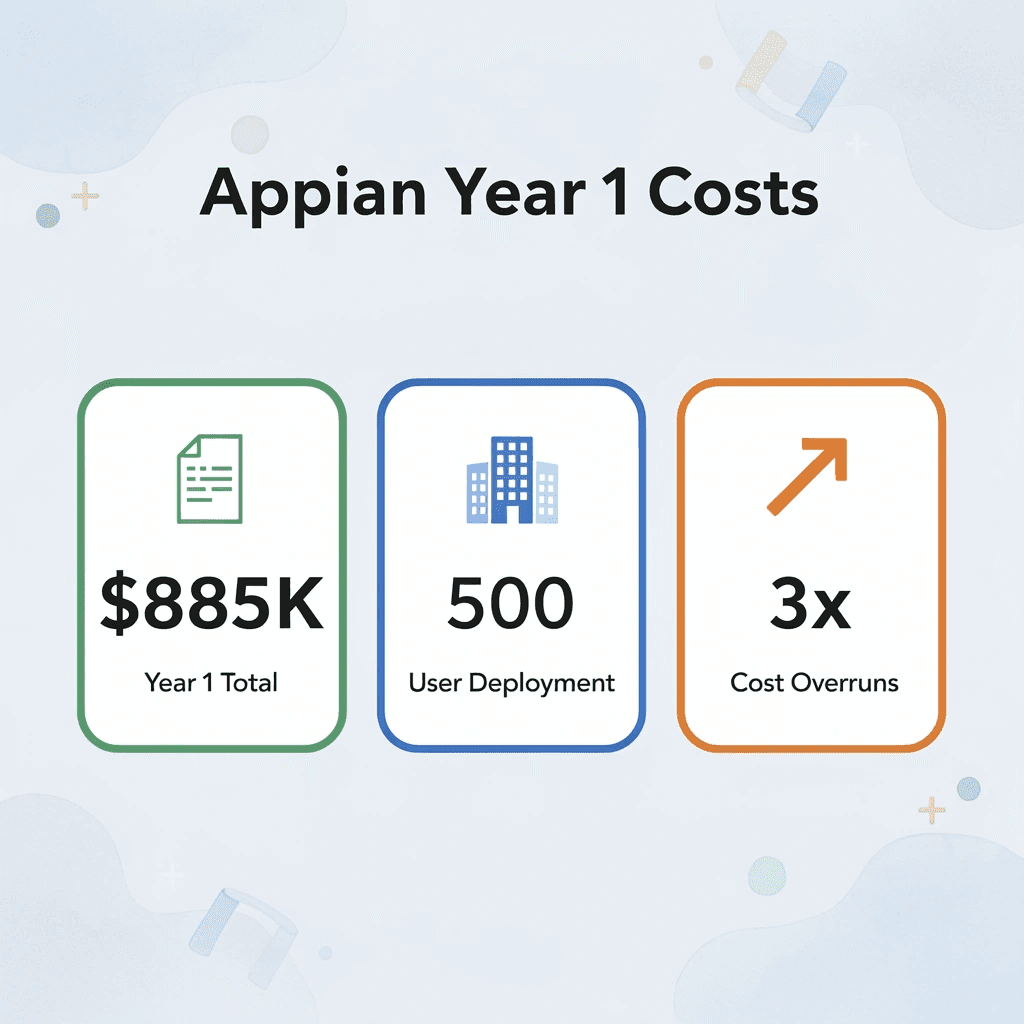
Enterprise AI teams aren't leaving Appian because the platform stopped working. They're leaving because costs have outpaced value. A 500-user deployment can reach $885,000 in Year 1 once implementation, training, and overages accumulate — turning what seemed like a smart investment into a budget crisis.
"A 500-user Appian deployment can approach $885,000 in Year 1 once implementation, training, and overages are factored in — making cost overruns the #1 driver of enterprise platform migration."
💡 Tip: Before renewing any enterprise AI platform contract, audit your total cost of ownership (TCO) — not the sticker price alone. Hidden fees from overages, training, and implementation are where budgets collapse.
⚠️ Warning: $885,000 in Year 1 is not an edge case — it's a predictable outcome for mid-to-large teams that underestimate Appian's cumulative cost structure. If your team is scaling, this number will grow.
The Pricing Model That Punishes Experimentation
The failure point is usually the minimum commitment structure. Appian's named-user licensing with a 100-user floor means a team of 40 pays for 60 unused seats, creating a structural barrier that forces AI leaders to justify enterprise-scale spend before running a single pilot. Enterprise AI drives measurable productivity gains, but only when teams can move fast, test cheaply, and scale what works. A pricing model demanding full commitment upfront inverts that logic entirely.
The same pattern surfaces in regulated industries like financial services and healthcare: AI teams want to run a document-extraction experiment or lightweight approval agent, but the platform's cost architecture makes a narrow proof-of-concept feel like a capital project. So the experiment never starts, or it moves to a spreadsheet instead.
When proprietary skills become a liability
Most teams hire and train for SAIL development like any specialized skill, until they need to grow faster than their certified developer pool allows or discover the skills don't transfer to other platforms or open standards. A developer who spends two years mastering Appian's expression language builds expertise with no external market value, creating both a retention risk and a delivery bottleneck.
Why do Appian alternatives matter when AI initiatives hit architectural walls?
When AI projects need new interfaces, agent logic, or integrations beyond standard process models, teams hit walls requiring full rebuilds instead of extensions. Applications cannot be exported cleanly, and logic remains locked inside proprietary containers. Teams needing gradual modernization—building new capabilities on existing systems rather than replacing them—find that traditional architecture actively resists this approach. Platforms like CodeGiant are built for this constraint: our enterprise AI platform helps you add production-grade apps, APIs, and agents to existing stacks without forcing rip-and-replace commitments, which is why enterprises in manufacturing and government increasingly treat modernization as additive rather than disruptive.
Platform Weight That Slows the Wrong Work
AI-driven workloads are rarely uniform. A claims processing agent might handle 200 documents on a Tuesday and 2,000 on a Friday after a weather event. Appian's capacity model doesn't flex with that demand curve the way cloud-native, usage-based platforms do. Organizations either overpay for peak capacity that sits idle most of the month, or they constrain their AI roadmap to what the prepaid block can absorb. PR Newswire reports that Appian was recognized as a Leader for the 13th consecutive year in the 2025 Gartner Magic Quadrant for Enterprise Low-Code Application Platforms. Sustained analyst recognition, however, differs from elastic scalability for variable AI workloads.
Why does platform overhead push teams toward Appian alternatives?
Appian was built for large, end-to-end regulated processes, and it excels at that. The problem emerges when AI teams need to test a departmental agent in a week, not build a compliance workflow over a quarter. The platform's governance layers, licensing structure, and proprietary development model apply equally regardless of scope. That overhead suits multi-year enterprise programs but creates friction for teams shipping by Thursday. Knowing why teams leave is only half the equation; the harder question is what they should look for when evaluating what comes next.
Related Reading
- Application Modernization Tools
- What Is Application Modernization
- How To Modernize Legacy Systems
- Build Internal Tools
- Cobol Modernization
- Mainframe To Cloud Migration
- Legacy Software Modernization
- Cobol To Java
- Technical Debt Management
- Ai Governance
- Legacy System Modernization
What Should You Look for in an Appian Alternative?
Evaluating an Appian alternative means asking: does this platform fit how your organization actually builds, governs, and scales? Focus on four practical dimensions: total cost transparency, developer skill alignment, architectural flexibility, and native governance depth.
"The right platform isn't the most feature-rich — it's the one that fits your team's skills, your org's budget, and your architecture's future." — Platform Selection Best Practice
Evaluation Dimension |
What to Assess |
|---|---|
Total Cost Transparency |
Licensing, usage fees, hidden scaling costs |
Developer Skill Alignment |
Low-code vs. pro-code fit for your team |
Architectural Flexibility |
Cloud, on-prem, hybrid, and integration support |
Native Governance Depth |
Audit trails, access controls, compliance tooling |
💡 Tip: Don't evaluate platforms on features alone — misaligned skill requirements are the #1 reason teams abandon tools after adoption.
🎯 Key Point: A platform that scores well on all four dimensions — cost, skills, architecture, and governance — is far more likely to deliver long-term ROI than one that excels in only one area.

Pricing models that show their math
The workflow automation and BPM market offers several pricing models: per-user-per-app, per-workflow-execution, and flat-rate structures. When calculating the three-year total cost of ownership, include implementation hours, training cycles, and per-action charges in AI and automation tiers. A platform costing 40% less at contract signing can match competitor pricing once you add connector licensing and support tiers.
Why does skill fit determine how fast you actually ship?
The failure point is usually not about what the platform can do, but about the gap between what your team knows and what the platform needs. Proprietary expression languages or visual frameworks requiring specialized certification create a steep learning curve that worsens with new hires and projects. If your team writes Python, JavaScript, or SQL well, a platform that respects those skills shortens the path from design to deployment by weeks.
What is the hidden cost of relying on a specialist for Appian alternatives?
Most teams handle this mismatch by hiring a specialist or working with a systems integrator. The hidden cost is dependency: when that specialist leaves, institutional knowledge walks out with them. Platforms that let your existing engineers build production-grade automations without a proprietary learning curve deliver compounding returns, as every new project starts from a higher baseline.
Why can't governance be added to Appian alternatives after deployment?
When you build process automation in regulated industries, governance controls cannot be added later. Role-based access, audit trails, deployment approvals, and data residency controls must be present from day one. Teams that skip this evaluation typically discover the gap six months into production when a compliance review surfaces an uncontrolled deployment path or an audit trail that stops at the platform boundary.
How does an additive model reduce risk when evaluating Appian alternatives?
The goal is not to replace existing systems but to build on top of them in a controlled, traceable way. Platforms like CodeGiant support this pattern, helping enterprises in financial services, healthcare, and government build production-grade apps, APIs, agents, and automations on their existing stack without forcing a rip-and-replace decision. This additive model preserves institutional data structures while extending them with governed automation, a fundamentally different risk profile than migrating to a new system of record.
Integration depth over connector counts
A vendor listing 500 pre-built connectors means less than you might think if none of them connect reliably to your specific ERP version or legacy mainframe APIs. The practical test is whether the platform supports custom API integration at a code level, not through a visual toggle. High-volume, concurrent-user scenarios behave differently in production than in demos. Testing with realistic data volumes before signing a multi-year contract is essential in mission-critical environments. The next question is whether any platform delivers on all four dimensions at once.
Related Reading
- As400 Modernization
- Enterprise Ai Governance
- Public Sector Digital Transformation
- Mendix Alternatives
- OutSystems Alternatives
- Appian Pricing
- Ai Agent Pricing
- Outsystems Vs Mendix
11 Best Appian Alternatives for Enterprise AI Teams in 2026
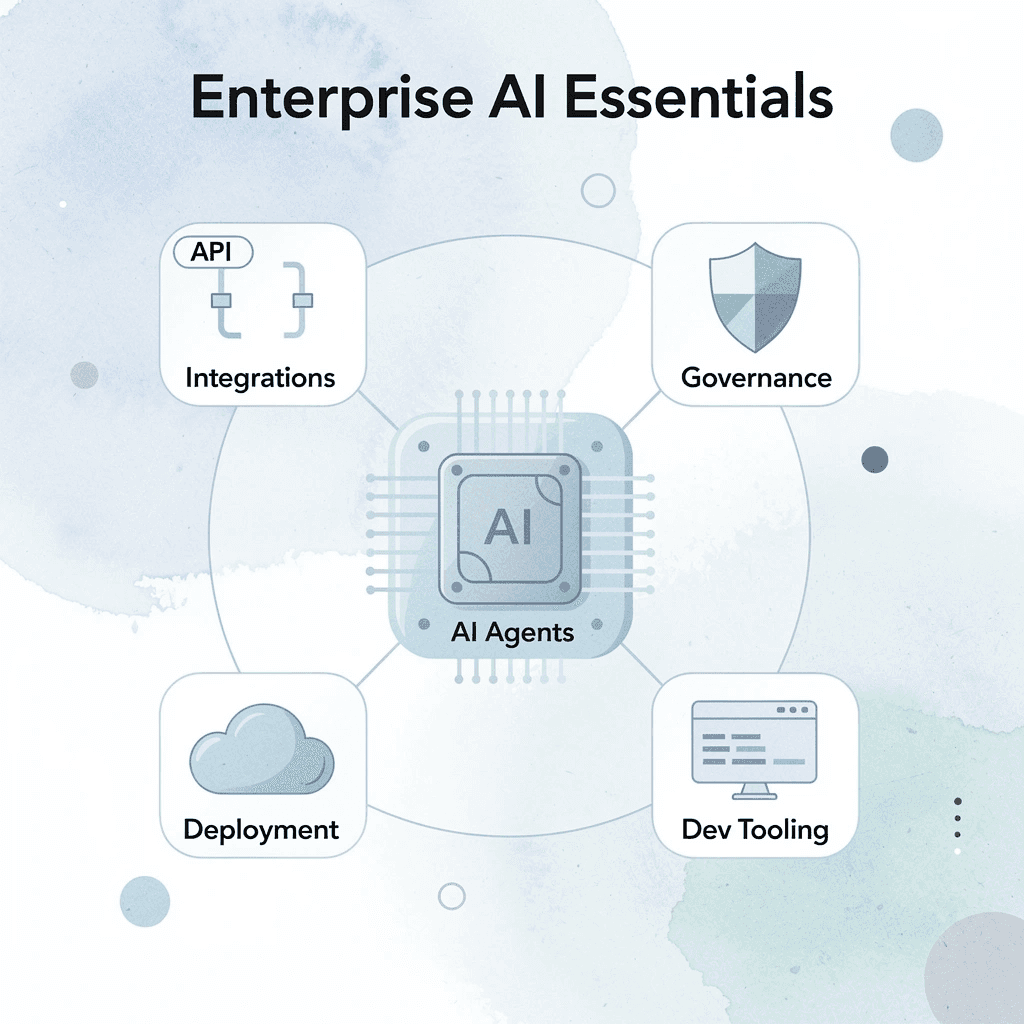
Enterprise AI teams need the full package: AI agents, seamless integrations, flexible deployment, developer-friendly tooling, enterprise governance, and predictable costs—all with rapid idea-to-production cycles. While Appian remains strong for enterprise process automation, several alternatives offer greater flexibility for modern AI initiatives and AI-powered applications at scale.
"Enterprise AI teams demand platforms that deliver rapid idea-to-production cycles, robust governance, and the flexibility to scale AI-powered applications without compromise." — Industry Insight, 2026
💡 Tip: When evaluating Appian alternatives, prioritize platforms that offer both developer-friendly tooling and enterprise-grade governance—sacrificing one for the other creates costly bottlenecks down the line.
⚠️ Warning: Don't let vendor lock-in derail your AI strategy. The best platforms for enterprise AI teams offer flexible deployment options—whether on-premise, cloud, or hybrid—so your infrastructure never limits your ambitions.
Capability |
Why It Matters for Enterprise AI Teams |
|---|---|
AI Agents |
Automates complex, multi-step workflows at scale |
Seamless Integrations |
Connects existing enterprise systems without friction |
Flexible Deployment |
Supports cloud, on-premise, and hybrid environments |
Developer-Friendly Tooling |
Accelerates idea-to-production cycles |
Enterprise Governance |
Ensures compliance, security, and auditability |
Predictable Costs |
Enables reliable budgeting for AI initiatives |
1. Codegiant
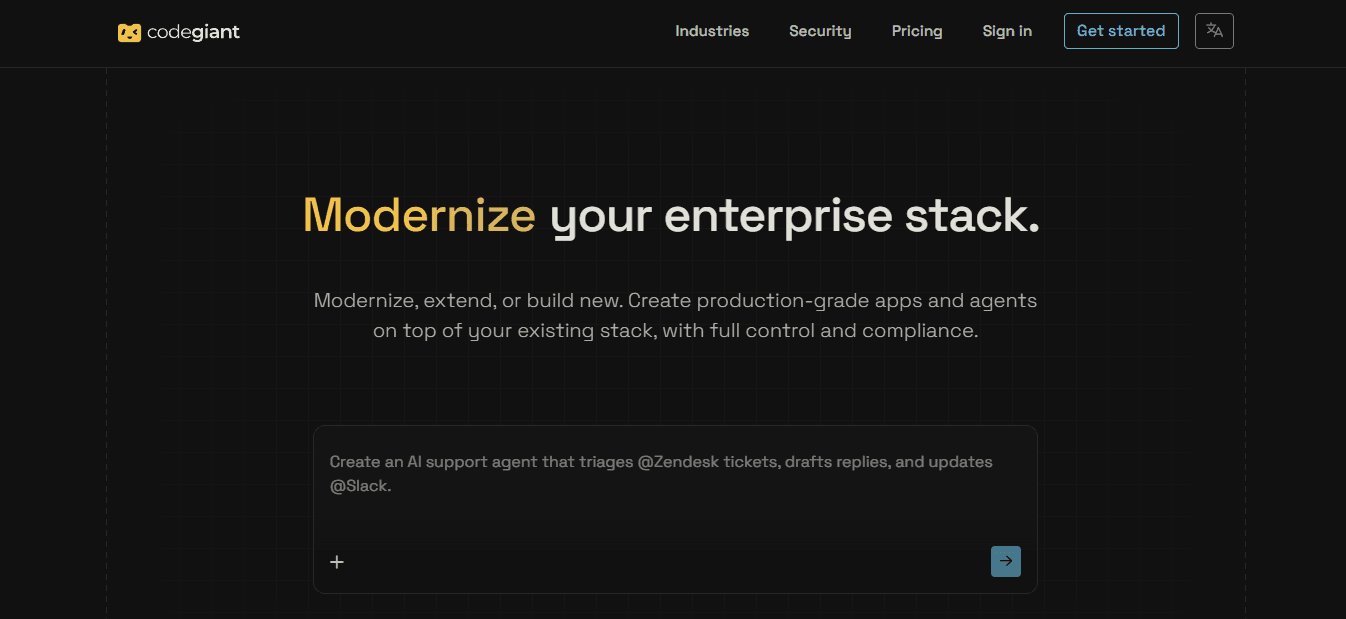
Codegiant is an enterprise modernization platform that lets teams modernize, extend, or build production-grade applications, AI agents, and automations on their existing stack while maintaining full infrastructure control and compliance. It addresses core constraints driving Appian evaluations—including high entry barriers, proprietary lock-in, limited integration with current systems, weak deployment ownership, and slow progression from AI experiments to reliable production—by combining AI generation with deterministic automation in a governed engine that deploys into the customer's own environment.
Features
- App Builder that turns prompts into production web and mobile applications
- Agent Builder creates production AI agents from natural-language goals.
- Workflow Builder for multi-step automations with AI steps, conditions, branches, and human-in-the-loop approvals
- Harness Engine: unifying AI generation, deterministic automation, and enterprise controls
- Automated legacy migration pipeline for COBOL and related systems, including logic extraction, data mapping, dependency resolution, and conversion.
- Transformation and plugin capabilities that extend existing systems without full rewrites
- Embedded Cursor-style IDE for last-mile engineering and refinement
- Thousands of secure connectors to systems including Salesforce, Snowflake, Databricks, Slack, HubSpot, Postgres, and many others.
- One-click deployment into customer infrastructure across Cloudflare, AWS, Azure, Google Cloud, Oracle Cloud, DigitalOcean, Fly.io, Alibaba Cloud, and additional environments
- Real-time observability, sync health monitoring, and signal confidence tracking
- Human-in-the-loop controls with timeout rules and approval gates
- Enterprise security including SOC2 and GDPR compliance protocols
Best For
Enterprise AI and engineering teams that need to move from AI experiments and demos to production systems while modernizing or extending critical existing infrastructure, particularly in regulated industries such as financial services, insurance, government, manufacturing, healthcare, and telecommunications.
Pros
- Builds and deploys on top of the existing stack rather than requiring wholesale replacement.
- Preserves full control of infrastructure and data location through customer-owned deployments
- Combines generative AI with deterministic execution for reliable, auditable production outcomes
- Supports rapid movement from prompt or experiment to production-grade apps, agents, and workflows.
- Includes specialized legacy modernization tools and forward-deployed engineering support for complex environments
- Extensive connectors reduce integration friction across modern and legacy systems.
- Strong emphasis on compliance, governance, and production reliability for demanding enterprise use cases
Cons
- The platform targets enterprise modernization and production delivery.
Accessibility
Two primary tiers are available: "Build for velocity" (platform for apps, agents, and automations with standard harnesses and cloud deployment options) and "Modernize enterprise stacks" (adds forward-deployed engineers, high-touch support, broader cloud coverage, proprietary harnesses for legacy systems, and custom infrastructure options). Both deploy into the customer's own infrastructure. Access begins with a demo request at codegiant.io.
2. Pega
Pega delivers a process and case management platform with strong AI decisioning capabilities aimed at large-scale, regulated operations. It addresses Appian pain around complex orchestration by offering robust case handling and decision engines, along with more mature AI tools for real-time decisions, though teams must still evaluate total cost and learning investment carefully.
Key Features
- Case management and process orchestration engine
- AI-powered decisioning and predictive analytics
- Low-code application development studio
- Robotic process automation integration
- Real-time customer engagement and next-best-action capabilities
- Strong compliance and audit frameworks
- Cloud and on-premises deployment options
Pros
- Excellent for high-volume, rules-heavy enterprise processes
- Mature AI decisioning for operational use cases
- Proven in financial services, insurance, and government
Cons
- Steep learning curve and significant implementation effort
- Pricing remains high for enterprise deployments
- Can feel heavy for lighter AI experimentation
3. OutSystems
OutSystems is a full-stack low-code platform that supports rapid development of complex applications and AI agents with flexible deployment options. It helps teams escape rigid proprietary modeling and high user-floor pricing by emphasizing visual development, AI-assisted building, and the ability to run applications across cloud, hybrid, or on-premises environments.
Key Features
- AI-powered application generation and agent orchestration
- Visual model-driven development with reusable components
- Integrated DevOps and lifecycle management
- Pre-built connectors to hundreds of systems plus MCP support
- Built-in security, governance, and monitoring
- Flexible cloud, hybrid, and on-premises deployment
- Tools for building and governing agentic systems at scale
Pros
- Strong full-stack capability for customer-facing and internal apps
- AI assistance accelerates development cycles
- Flexible deployment reduces infrastructure lock-in
Cons
- Enterprise pricing starts high and scales quickly
- Advanced customization still requires skilled developers
- Can exceed needs for purely departmental AI workflows
4. Mendix
Mendix (Siemens) focuses on model-driven low-code development with collaboration between business and IT teams plus AI assistance through its Maia capabilities. It mitigates Appian-style skills lock-in and slow experimentation by supporting both citizen and professional developers while offering clearer pathways for extending existing systems.
Key Features
- Dual IDE approach (Studio for business users, Studio Pro for developers)
- Maia AI for natural-language guidance and recommendations
- Model-driven development of data, logic, and interfaces
- Extensive marketplace of reusable components
- Built-in agile project management tools
- Strong multi-cloud and on-premises deployment support
- Governance and version control for enterprise scale
Pros
- Excellent collaboration between business and technical users
- AI assistance lowers the barrier for non-specialists
- Flexible deployment options support existing infrastructure strategies
Cons
- Pricing can still reach enterprise levels for larger deployments
- Complex applications require experienced Mendix developers
- Less process-orchestration depth than pure BPM platforms in some scenarios
5. Microsoft Power Platform (Power Automate + Copilot Studio)
Microsoft Power Platform combines Power Automate for process automation with Copilot Studio for building AI agents, all inside the familiar Microsoft ecosystem. It directly tackles high entry costs, proprietary language barriers, and experimentation friction by leveraging existing Microsoft 365 and Azure investments, lowering barriers for many enterprise teams and supporting rapid agent and flow creation.
Key Features
- Power Automate for cloud and desktop process automation
- Copilot Studio for custom AI agents and copilots
- Deep integration with Microsoft 365, Dynamics, and Azure
- Low-code connectors to hundreds of external systems
- AI Builder for document processing and prediction
- Governance, DLP, and environment controls for enterprises
- Hybrid and cloud deployment flexibility
Pros
- Leverages existing Microsoft licenses and skills for many organizations
- Faster path to AI agents and simple-to-complex automations
- Transparent per-user and capacity-based pricing options relative to pure BPM platforms
Cons
- Best results require a Microsoft-centric environment
- Complex end-to-end processes can still need careful architecture
- Advanced governance configuration takes planning
6. ServiceNow
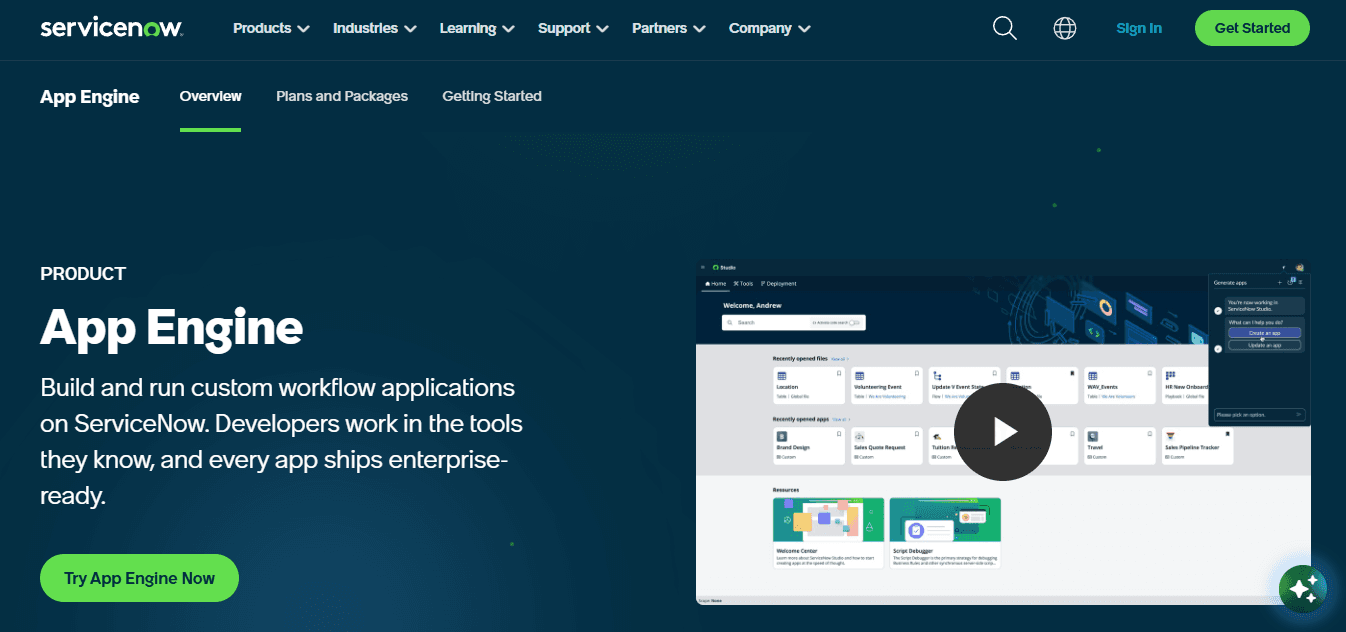
ServiceNow’s Now Platform extends beyond IT service management into enterprise workflow and AI-driven process automation, giving teams a mature environment for building governed agents and cross-departmental flows. It helps address Appian’s high user-floor costs and rigid modeling by leveraging existing ServiceNow investments many large organizations already hold, while providing strong governance and AI assistance that supports production reliability without forcing a completely new proprietary language stack.
Key Features
- Now Assist and generative AI capabilities for workflow creation and recommendations
- Flow Designer for low-code process and agent orchestration
- Virtual agents and conversational AI
- Strong IT, HR, customer, and security process modules
- Predictive intelligence and automation recommendations
- Robust governance, audit, and compliance controls
- Integration Hub with extensive connectors to enterprise systems
Pros
- Leverages existing ServiceNow footprints for faster adoption in many enterprises
- Mature governance and AI tools suited to regulated environments
- Broad process coverage across IT and business functions
Cons
- Pricing remains enterprise-level and quote-driven
- Implementation and configuration of advanced AI features require significant effort
- Best results occur inside organizations already committed to the ServiceNow ecosystem
7. UiPath
UiPath has evolved from pure RPA into a full agentic automation platform that combines robots, AI agents, and orchestration for complex enterprise processes. It directly tackles experimentation friction and limited elastic scaling by letting teams start with targeted automations and agents, then expand, while offering strong governance that keeps production work reliable and auditable.
Key Features
- Agent Builder for creating and deploying AI agents inside processes
- Maestro orchestration layer for coordinating bots, agents, and people
- Document Understanding and AI Trust Layer for secure generative AI
- Studio for low-code and pro-code development
- Attended and unattended robots with process mining
- Extensive system connectors and API integration
- Enterprise-grade security, audit trails, and human-in-the-loop controls
Pros
- Strong bridge from traditional RPA to modern agentic automation
- Flexible scaling for variable workloads
- Mature tooling for both technical and business users
Cons
- Full enterprise capabilities carry substantial licensing and infrastructure costs
- Advanced agent orchestration still requires skilled configuration
- Can feel complex for purely lightweight departmental needs
8. Camunda
Camunda is a process orchestration platform centered on open standards (BPMN) that gives development teams high control over how processes and AI agents execute. It solves proprietary lock-in and deployment-control pain by supporting self-hosted or cloud options, portable process definitions, and the ability to embed AI agents inside deterministic process models without forcing a closed ecosystem.
Key Features
- BPMN 2.0 process modeling and execution engine
- Agentic orchestration that embeds AI agents inside process flows with full traceability
- RPA connectors for legacy systems
- AI Agent and MCP connectors
- Decision Model and Notation (DMN) support
- Self-hosted, SaaS, and hybrid deployment options
- Strong developer tooling and observability
Pros
- Open standards reduce long-term lock-in
- High control over deployment and execution
- Excellent fit for developer-led enterprise AI teams that need deterministic process guarantees
Cons
- Steeper technical learning curve for non-developers
- Fewer out-of-the-box business-user interfaces than pure low-code platforms
- Advanced agent features still maturing relative to some competitors
9. Nintex
Nintex focuses on process automation, document workflows, and low-code application building that many teams find more approachable than heavy BPM suites. It addresses high entry barriers and slow experimentation by offering practical automation tools that connect to existing systems and support faster delivery of internal processes and AI-assisted workflows without extreme licensing floors.
Key Features
- Visual workflow and process automation designer
- Document generation, e-signature, and forms automation
- RPA capabilities for attended and unattended bots
- AI-assisted process discovery and mapping
- Integration with SharePoint, Salesforce, and major enterprise systems
- Mobile and portal experiences
- Analytics and process optimization tools
Pros
- Faster time-to-value for many internal process use cases
- Strong document and form-centric automation
- More accessible entry point for mid-to-large teams than pure enterprise BPM platforms
Cons
- Less depth in complex, long-running case management than specialized BPM tools
- Licensing can still climb for large deployments
- Advanced AI features are less mature than pure agent platforms
10. Creatio
Creatio is a no-code/low-code platform with a composable architecture that lets citizen and professional developers build applications and automate workflows rapidly. It counters opaque pricing, high user minimums, and proprietary language barriers by offering clearer per-user pricing starting at accessible levels and a highly visual environment that supports faster AI-assisted process and application delivery.
Key Features
- Composable no-code architecture with reusable components
- Visual drag-and-drop application and workflow builders
- AI assistance for development and process design
- Built-in CRM and process automation capabilities
- Extensive marketplace of templates and connectors
- Strong governance and enterprise security controls
- Cloud and on-premises deployment options
Pros
- Transparent pricing starting around $25 per user per month for core Studio plans
- High accessibility for non-technical builders
- Rapid delivery of process applications and automations
Cons
- Less specialized depth in pure high-volume process orchestration compared with dedicated BPM engines
- Advanced enterprise customization still benefits from experienced implementers
- Ecosystem size smaller than the largest low-code vendors
11. Kissflow
Kissflow is a no-code/low-code process automation platform designed for teams that need to build and run workflows, applications, and AI-assisted processes without the heavy licensing floors, proprietary languages, or complex governance overhead common in traditional BPM suites. It addresses the core Appian pain points by offering a more accessible entry point, visual tools that support rapid experimentation, clear integration with existing systems, and the ability to deliver production processes and simple agents without forcing specialized developer skills or high minimum commitments.
Key Features
- Visual drag-and-drop workflow and process designer
- No-code application builder for internal tools and forms
- AI-assisted process creation and optimization capabilities
- Pre-built connectors to major enterprise systems and cloud apps
- Case management and approval workflow tools
- Analytics and process performance dashboards
- Mobile access and portal experiences for distributed teams
Pros
- Lower barrier to entry and faster time-to-value for many departmental and mid-scale AI process needs
- Intuitive interface reduces reliance on specialized developers
- Transparent packaging that avoids extreme named-user minimums found in heavier platforms
Cons
- Less depth for highly complex, long-running, multi-year regulated case orchestration compared with pure enterprise BPM engines
- Advanced custom logic and large-scale agent coordination can require workarounds or additional tools
- Ecosystem and advanced AI agent maturity trail the largest specialized platforms
How to Choose the Right Appian Alternative for Your Team
The right Appian alternative should solve your team's current workflow challenges while supporting future AI initiatives, scaling with your organization, and integrating with existing systems. Evaluating vendors against practical business and technical requirements helps you avoid costly migrations later.
"The right platform choice isn't just about solving today's problems — it's about avoiding expensive migrations and technical debt tomorrow." — Enterprise Software Advisory Best Practice
🎯 Key Point: The most critical factor in choosing an Appian alternative is ensuring it meets both your immediate workflow needs and your long-term scalability requirements — settling for a short-term fix is a common and costly mistake.
⚠️ Warning: Skipping a thorough vendor evaluation against your technical and business requirements is one of the fastest ways to lock your team into another expensive platform migration within just a few years.
Evaluation Criteria |
Why It Matters |
|---|---|
Workflow automation capabilities |
Solves current process bottlenecks |
AI & future-readiness |
Supports long-term initiatives |
Scalability |
Grows with your organization |
System integrations |
Connects with existing tools |
Migration cost & complexity |
Avoids costly platform switches |
Clarify Your Requirements and Current Constraints
Write down the specific processes, AI agent use cases, and application types your team needs to support, along with the problems driving change. List workflows with high licensing costs, proprietary modeling languages, limited extensibility, or slow iteration cycles. Define success metrics: time from idea to production, required compliance controls, expected user volume, and infrastructure requirements. A clear requirements map prevents selecting a tool that recreates the same limitations under a different name.
Prioritize Deployment Control and Infrastructure Ownership
Determine whether the choice lets you deploy production systems to your own cloud, private, hybrid, or on-premises environment. Platforms requiring all workloads to run on vendor-hosted runtimes recreate the control and data-residency limits many teams seek to avoid. Ensure it supports easy deployment to existing environments, full ownership of code and data, and options for air-gapped or regulated setups. Deployment flexibility directly affects security posture, exit costs, and operational independence.
Evaluate Integration Depth with Your Existing Stack
Test how easily the platform connects to your existing databases, APIs, SaaS tools, legacy systems, and data sources. Strong alternatives offer pre-built connectors, robust API and webhook support, and the ability to extend existing systems rather than requiring complete data migration or process rewrites. Verify that agents and workflows can operate on live enterprise data with consistent context and security. Integration quality determines whether the new platform accelerates work or creates new silos and custom middleware.
Scrutinize Pricing Transparency and Total Cost of Ownership
Ask for clear pricing details covering how the license works, the minimum number of users or capacity you need, extra charges, setup services, training, and premium support. Calculate the total cost over multiple years, including hidden expenses such as developer training, building connectors, and data migration. Look for pricing models that don't require upfront payment for a set number of users and that have transparent pricing tiers. This lets your team trial the platform and scale without repeatedly renegotiating your budget. Clear pricing prevents surprise costs that often drive companies to switch platforms.
Assess the Balance of AI Generation and Deterministic Execution
Look at how CodeGiant combines generative AI tools for rapid app, agent, and workflow creation with reliable automation, safety measures, audit trails, and human oversight controls. Pure generative approaches produce impressive demos that fail reliability and compliance tests in production. Our enterprise AI platform ensures agents gain process awareness, security policies, and observability, while low-confidence actions escalate to appropriate stakeholders. This balance enables faster delivery while maintaining the predictability that regulated and high-stakes environments require.
Examine Skills Portability and Learning Curve
Check if the platform uses proprietary languages or closed design environments that lock you into that platform alone. Prefer solutions that support common engineering practices, open standards, and visual modeling that both business and technical users can understand. You should be able to export your work without rebuilding everything from scratch. Assess the documentation quality, onboarding resources, and time to team productivity. Skills not locked to one vendor protect you from vendor dependence and reduce the need for specialized hires.
Test Scalability for Growth and Variable Workloads
Make sure the platform can handle increased workloads, concurrent users, and sudden spikes in AI-driven demand without requiring upfront capacity purchases. Look for options that scale resources dynamically, monitoring tools, versioning, and support for staging or CI/CD practices that keep testing separate from production. Platforms designed only for steady, large-scale processes often struggle with the variable workloads common in enterprise AI programs.
Verify Governance, Security, and Production Readiness
Ask for proof of role-based access, detailed audit logs, encryption, and compliance certifications relevant to your industry (such as SOC 2 or GDPR). Ensure the system supports secure handling of sensitive data, prompt-injection safeguards, and enforcement of business rules. Production readiness requires observability, error handling, and the ability to scale from pilot to enterprise without rebuilding governance. These controls determine whether AI initiatives remain compliant and operationally safe.
Run a Focused Proof of Concept with Real Workloads
Pick two or three platforms from your shortlist and test them using a real process or agent use case from your environment. Set a time limit for the test and measure: how long it takes to build a working version, the effort required to integrate with existing systems, ease of governance setup, deployment into your infrastructure, and support quality during the trial. Have technical and business team members score results against your documented requirements. A realistic pilot reveals practical differences that feature lists and demos cannot.
How should you anchor evaluation criteria when comparing Appian alternatives?
Evaluation works best when criteria connect to your team's specific limits and production goals rather than generic feature comparisons. Focus on platforms that give you control, reduce lock-in, support existing systems, and enable reliable movement from AI experiments to production outcomes.
Why Enterprise Teams Choose CodeGiant for AI Automation
Enterprise teams choose CodeGiant because our platform bridges the gap that most solutions ignore: moving AI from demo to production-ready systems that run under audit within your own infrastructure. For financial services, healthcare, and government teams, this difference is critical—it separates boardroom proofs of concept from systems processing real claims, transactions, and decisions at scale.
"The gap between AI demo and production-ready deployment is where most enterprise initiatives fail—CodeGiant is built specifically to close that gap within your own infrastructure." — CodeGiant Platform Overview
🎯 Key Point: CodeGiant doesn't just deliver AI capabilities—it delivers audit-ready, infrastructure-native AI built for the strictest regulated industries on the planet.
⚠️ Warning: Most AI platforms stop at the proof-of-concept stage. Without production-grade infrastructure support, enterprise teams in regulated industries risk deploying systems that cannot withstand real-world compliance scrutiny.
Industry |
Core Requirement |
What CodeGiant Delivers |
|---|---|---|
Financial Services |
Audit trails & transaction integrity |
Production-ready AI under full audit |
Healthcare |
Data sovereignty & compliance |
On-premise infrastructure deployment |
Government |
Security & scalability |
Regulated-environment AI systems |

What makes production AI different from prototype AI?
The failure point is usually governance, not capability. Most platforms can generate an AI workflow. Far fewer can enforce deterministic rules around it, log every decision for compliance review, and allow human override when stakes require it. Teams report concrete fear that a system will produce an outcome nobody can explain to a regulator. That fear is legitimate and belongs at the center of any platform evaluation.
Why do Appian alternatives need to prioritize deterministic execution at scale?
According to Orbilon Tech, citing McKinsey, Gartner, and Deloitte, AI automation investments return 5.8 times the initial investment at scale. This return stems from production systems that execute reliably across thousands of transactions, with controls tight enough to meet compliance requirements and responsive enough for operational needs. The platforms delivering these results are built on deterministic execution as a foundational principle, not an afterthought.
How do Appian alternatives handle legacy infrastructure without building workarounds?
Most enterprise teams handle old system limits by building workarounds that become embedded in the system over time. AI projects get designed around the edges of the real system rather than on top of it. Our enterprise AI platform addresses this directly by combining automated old system conversion pipelines, including COBOL-to-modern-services transformation, with App Builder, Agent Builder, and Workflow Builder inside a single governed engine. Teams stop building around their infrastructure and start building on it. CodeGiant's enterprise AI platform provides the infrastructure teams need to modernize legacy systems while scaling AI initiatives.
Why does infrastructure ownership change the compliance equation?
The critical difference between platforms that work in regulated industries and those that almost work is where the data lives and who controls the runtime. Deployment flexibility across AWS, Azure, Google Cloud, and air-gapped environments is not a feature for edge cases—it is the requirement for adoption in any organization with strict data residency requirements. Dan Cumberland Labs reports that 88% of organizations use AI but only 1% achieve mature deployment, and infrastructure control is one of the clearest separators between these two groups. Organizations that cannot run AI workloads inside their own compliance boundary remain in the 88%.
Why do Appian alternatives favor additive modernization over rip-and-replace?
Large company teams want controlled change that adds AI and automation tools without abandoning the systems, workflows, and compliance plans they have spent years building. This is why adding new capabilities is preferable to replacing everything at once. The surprise is what becomes possible once experimentation and production work together.
Related Reading
- Enterprise Architecture Modernization
- Rpg Modernization
- Iseries Modernization
- Application Modernization Benefits
- .net Modernization
- Application Modernization Roadmap
- Cobol Replacement
- Insurance Legacy Modernization
Try CodeGiant's Enterprise AI Platform Today
If your AI roadmap stalls between proof of concept and production, the problem is architecture. Most enterprise teams hit a point where their chosen platform cannot handle real AI workloads, governed deployments, and live system integrations simultaneously. That gap is where projects die.
"Most enterprise teams hit a point where their chosen platform cannot handle real AI workloads, governed deployments, and live system integrations at the same time. That gap is where projects die."
⚠️ Warning: If your team remains in proof-of-concept mode, the bottleneck is the underlying platform architecture that cannot scale to production demands, not the idea itself.

🎯 Key Point: CodeGiant is built specifically for that gap — the critical space between AI experimentation and enterprise-grade production.
CodeGiant is built for that gap. Our platform combines AI agent development, workflow orchestration, legacy modernization, and governed cloud deployment in one place, so your team builds on top of what already works rather than replacing it. Visit CodeGiant to see how our enterprise AI platform fits your stack and schedule a demo to move from AI ideas to production-ready applications without sacrificing compliance or control.
Capability |
What It Solves |
|---|---|
AI Agent Development |
Accelerates build time from concept to deployment |
Workflow Orchestration |
Connects complex processes without manual overhead |
Legacy Modernization |
Preserves existing investments while enabling AI |
Governed Cloud Deployment |
Ensures compliance and control at every stage |
💡 Tip: Schedule a demo with CodeGiant today — see firsthand how your team can go from AI ideas to production-ready applications without compromising compliance or control.